
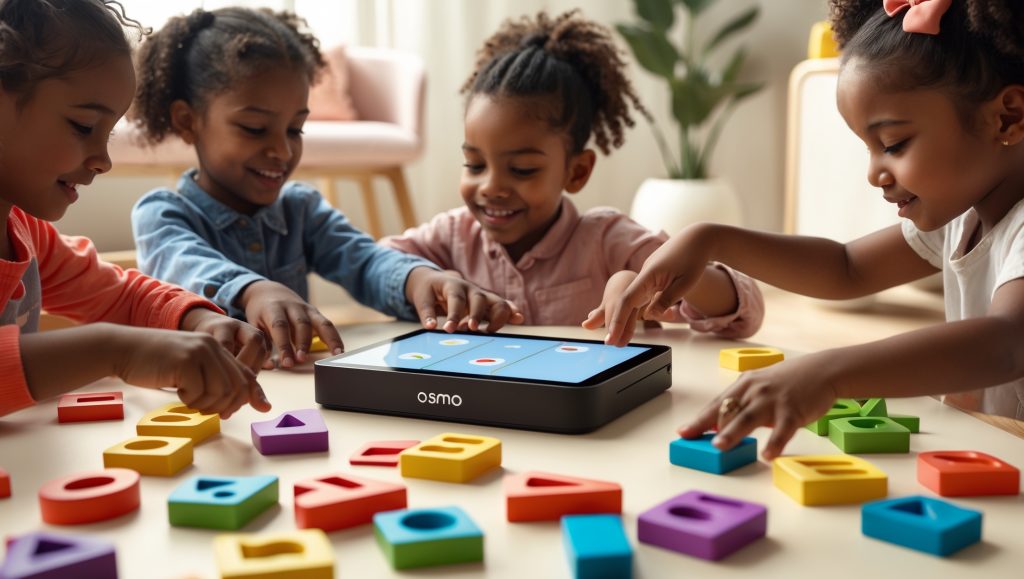
Overview
In the ever-evolving world of educational toys, few products have managed to bridge the gap between screen time and hands-on learning as seamlessly as the Osmo Genius Starter Kit. Designed for children ages 6 to 10, this STEM toy transforms your iPad or Fire tablet into an interactive learning center. By blending digital gameplay with physical manipulatives, Osmo aims to make math, spelling, problem-solving, and creative thinking fun and accessible for early elementary learners. As families seek meaningful ways to foster STEM skills at home, the Osmo Genius Starter Kit stands out as an engaging, evidence-informed option that can grow with your child.
What’s Inside / Build Quality
The Osmo Genius Starter Kit arrives in a sturdy, well-organized box containing:
- Osmo base and red reflector: These key accessories position your device and allow Osmo’s software to “see” the play area in front of the screen.
- Game pieces: Five sets of well-made, tactile manipulatives—word tiles, number tiles, and tangram shapes—each stored in individual plastic containers with secure lids.
- Instruction booklet: Clear, illustrated directions for setup and play.
- Access codes: For downloading the suite of Osmo Genius games (including Numbers, Words, Tangram, Newton, and Masterpiece).
The build quality of the Osmo kit is impressive. The base and reflector are made of durable, kid-friendly plastic. The tiles and tangram pieces are thick, brightly colored, and easy for small hands to manipulate. Everything is designed to withstand frequent use, making it ideal for households with multiple children or for use in classrooms. The packaging doubles as organized storage, helping to keep all the pieces together between play sessions.
Learning & Development Benefits
Osmo’s unique approach combines physical play with interactive digital feedback, supporting a range of STEM learning outcomes:
- Mathematics: The Numbers game turns simple addition, subtraction, and multiplication into an engaging puzzle adventure, helping kids build number sense and mental math skills.
- Literacy: Words uses letter tiles and picture clues to encourage spelling, vocabulary, and phonics skills. The adaptive difficulty level keeps things challenging but achievable.
- Spatial reasoning: Tangram challenges children to recreate shapes using geometric pieces, strengthening visual-spatial awareness and problem-solving abilities.
- Creative thinking: Masterpiece transforms photos into traceable images, prompting kids to practice drawing, hand-eye coordination, and artistic expression.
- Scientific inquiry: Newton invites experimentation with physics concepts by asking kids to redirect virtual falling balls using real objects placed on the table.
All activities emphasize active problem-solving, perseverance, and independent exploration. The immediate feedback provided by the Osmo software supports growth mindset and encourages kids to try, adjust, and succeed at their own pace. The kit’s open-ended nature also allows for cooperative play, fostering social skills and teamwork.
Setup & Use
Setting up the Osmo Genius Starter Kit is straightforward but does require a compatible tablet (sold separately). Here’s what families can expect:
- Download the Osmo games: Use the included codes to access the five Genius apps on the App Store or Amazon Appstore.
- Prepare your device: Slip your iPad or Fire tablet into the Osmo base and attach the red reflector over the camera. This allows the software to “see” the play surface.
- Open a game and follow prompts: The apps provide easy, voice-guided instructions for each activity, making it accessible even for young children.
- Organize pieces: Set out the labeled containers for easy access to the correct tiles or shapes for each game.
Most families report that initial setup takes less than 10 minutes. All pieces are easy to clean and store. While parental supervision is helpful for the first session, older children can quickly learn to set up and switch games independently.
Pros & Cons
Pros
- Innovative blend of digital and hands-on learning
- Supports math, literacy, spatial reasoning, and creativity
- Durable, high-quality physical components
- Games adapt in difficulty to challenge a range of ages
- Encourages independent and cooperative play
- Compact, organized storage ideal for home or classroom
Cons
- Requires a compatible iPad or Fire tablet (not included)
- Some games may require app updates or device permissions
- Limited appeal for children outside the 6–10 age range
- Additional game expansions sold separately
Alternatives & Similar Toys
If the Osmo Genius Starter Kit isn’t the perfect fit, consider these comparable STEM toys:
- Tangible Play Osmo Coding Starter Kit: Focuses specifically on early programming concepts, using physical code blocks to guide on-screen characters.
- LEGO Education SPIKE Essential Set: Blends hands-on building with basic robotics and coding, suitable for ages 6+.
- Botley 2.0 Activity Set (Learning Resources): An award-winning screen-free coding robot for grades K–2, emphasizing logic and problem-solving.
- Tiggly Words & Tiggly Math: These tablet-based kits use physical manipulatives for literacy and numeracy practice, tailored for preschool and early elementary learners.
- Kano Computer Kit: For older children ready to build and code their own computer, with a strong focus on hands-on engineering and digital literacy.
Each alternative offers a unique approach to STEM learning, so consider your child’s interests, device compatibility, and preferred play style before choosing.
Verdict
The Osmo Genius Starter Kit is a thoughtfully designed, high-quality STEM toy that brings a fresh dimension to home learning in 2025. By combining physical play pieces with engaging, adaptive digital games, Osmo offers a highly motivating, multisensory learning experience. Its focus on foundational math, literacy, and problem-solving skills—paired with opportunities for creativity and collaboration—makes it a top pick for families seeking an evidence-informed approach to STEM at home. While the need for a separate tablet may be a drawback for some, the kit’s longevity, replay value, and clear developmental benefits make it a worthwhile investment for curious, hands-on learners in the early elementary years.
FAQ
+What ages is the Osmo Genius Starter Kit best for?
+Do I need to buy a tablet to use Osmo?
+Is the Osmo Genius Starter Kit safe for younger siblings?
+Can more than one child play at once?
+Are there extra games or expansions available?
+How much space do I need to play with Osmo?
+Is Osmo suitable for classroom use?

Osmo Genius Starter Kit – Transforming Tablets into Hands-On STEM Fun
The Osmo Genius Starter Kit is a standout educational toy that seamlessly bridges digital learning with tactile play. Designed for children ages 6–10, Osmo’s unique approach leverages a tablet’s screen with a clever reflector and physical game pieces, encouraging active participation rather than passive screen time. The kit includes five engaging games covering math, spelling, problem-solving, and creativity. Each activity is thoughtfully crafted to build core STEM skills while keeping kids genuinely entertained.
What sets Osmo apart is its intuitive feedback loop: children manipulate physical tiles or shapes in front of the tablet, and Osmo’s technology recognizes their moves instantly. This not only boosts engagement but also fosters a deeper, more memorable learning experience. Parents will appreciate the easy setup and the robust progress tracking, which helps identify strengths and growth areas. The games are well-paced, with just the right difficulty to keep kids motivated without causing frustration.
Overall, the Osmo Genius Starter Kit is a smart investment for families seeking to make screen time more meaningful. It’s a perfect blend of fun and learning, ideal for home or classroom use.
- Transforms tablets into interactive STEM learning centers
- Includes five versatile educational games
- Encourages hands-on, active play and creativity
- Easy to set up and suitable for ages 6–10
We’re on a budget and my toddler is below the recommended age for Osmo. Would you suggest waiting until they’re older, or is there another more toddler-friendly interactive STEM option for this age group that you’d recommend instead?
It’s great that you’re thinking ahead about your child’s learning and your budget. Since Osmo kits usually have small pieces and activities better suited for older preschoolers, it’s safest and more developmentally appropriate to wait until your toddler is older. In the meantime, you could try simple STEM activities at home using safe household items—like stacking cups, sorting shapes, or water play with supervision. There are also toddler-focused STEM toys that feature larger, chunkier parts and no small pieces, which can encourage hands-on exploration. This isn’t medical advice; if you’re concerned, check in with your pediatrician.
I noticed the Osmo Genius Starter Kit uses a lot of plastic for its pieces and storage containers. As a parent trying to make more sustainable choices at home, how would you compare the overall environmental impact of this kit to more traditional wooden STEM toys in terms of durability and eco-friendliness?
It’s great that you’re thinking about sustainability as you choose toys. Compared to many wooden STEM toys, the Osmo Genius Starter Kit relies on plastic, which is less biodegradable and often harder to recycle. However, Osmo kits tend to be durable and can last through years of play if cared for, reducing the need for replacements. If you’re looking to minimize environmental impact, consider how long your child will use the kit and whether you can pass it on or donate it later. Wooden toys are often made from renewable resources and may be safer for younger children due to fewer small parts. This isn’t medical advice; if you’re concerned, check in with your pediatrician.
I’m curious how the Osmo Genius Starter Kit compares to classic hands-on STEM toys, like building blocks or simple math manipulatives. Does Osmo offer a similar level of open-ended play, or is it more structured around the tablet games?
It’s great that you’re thinking about the value of open-ended play in STEM learning. The Osmo Genius Starter Kit blends hands-on play with tablet-based games, but its activities are generally more guided and structured than classic toys like building blocks or math manipulatives, which encourage freeform exploration and creativity. Osmo’s physical pieces do support some experimentation, but most play follows game prompts and objectives. For young children, especially ages 6 and up, Osmo can be a safe, engaging supplement, but it may not fully replace the imaginative, self-directed play offered by traditional manipulatives. This isn’t medical advice; if you’re concerned, check in with your pediatrician.
I’m curious about integrating hands-on learning for an older child while managing a 10-month-old who’s still exploring food textures and making messes during meals. Do you have suggestions for setting up a routine that supports both age groups without things descending into chaos?
You’re balancing a lot—encouraging your older child’s learning while keeping your baby safe and happy is no small feat. Try setting up a designated Osmo play area at a table out of your baby’s reach, perhaps during the baby’s high-chair mealtime when they’re occupied with safe, supervised food exploration. Keep small Osmo pieces stored securely away from your baby, and involve your older child in helping tidy up. If possible, use a visual timer so your older child knows when Osmo time ends, making transitions smoother. This isn’t medical advice; if you’re concerned, check in with your pediatrician.
Is screen time with Osmo perceived differently than standard tablet use, and do you have recommendations for how often families should incorporate Osmo sessions into a weekly routine to maintain a healthy balance?
You’re thoughtful to consider how Osmo sessions fit into your child’s overall screen time. Osmo is often viewed more positively than passive screen time because it encourages active, hands-on learning and social interaction. To keep a healthy balance, try scheduling Osmo activities 2–4 times per week, for 20–30 minutes each session, depending on your child’s age and attention span. Balance Osmo with plenty of physical play and unstructured time. Always supervise sessions, especially with young children, to ensure safe use and engagement. This isn’t medical advice; if you have concerns about screen time or learning, please check in with your pediatrician.
We’re trying to make a routine where my toddler plays for a few minutes after sitting on the potty. Based on your review, would it make sense to use just the tangram shapes or number tiles as a simple activity for a younger child, or is Osmo really best saved for when she’s older?
It’s wonderful that you’re creating positive routines around potty time. For toddlers, especially under age 3 or 4, the Osmo pieces like tangram shapes and number tiles may be too advanced and small for safe, independent play—there’s a risk of choking and frustration with the abstract concepts. Instead, you could offer larger, simple puzzles or soft toys nearby. Osmo is best saved for preschool age (4+) when attention span and motor skills are more developed. This isn’t medical advice; if you’re concerned, check in with your pediatrician.
One thing I’d love to know more about is storing all the game pieces. The article mentions organized packaging, but how easy is it to keep everything in place after multiple play sessions, especially if you have more than one child using it?
You’re right to think ahead about keeping those small pieces organized, especially with more than one child using the Osmo Genius Starter Kit. While the kit includes compartmentalized storage, it helps to assign each child their own small container or zipper bag for the pieces. After each session, make cleanup a shared routine—counting and sorting pieces can be a quick game. Store the kit out of reach of very young children to avoid lost or swallowed parts. Check for missing pieces regularly, as organization can slip over time. This isn’t medical advice; if you have concerns about safety or lost parts, check in with your pediatrician.
If one of my twins has a sensory sensitivity to certain textures, can you describe what the Osmo tangram and letter tiles feel like? Are they smooth plastic or is there any roughness or smell to them that might bother sensitive kids?
It’s great that you’re considering your child’s sensory needs when choosing new toys. The Osmo tangram and letter tiles are made from smooth plastic and generally feel sleek and hard to the touch, without any rough edges or noticeable textures. Most families report no strong plastic smell, but as with any new toy, I recommend opening the box first and letting it air out, just in case. Always supervise play and check for any reactions, especially if your twin is sensitive to certain materials. This isn’t medical advice; if you’re concerned, check in with your pediatrician.
Can the Osmo Genius Starter Kit games, especially Words, be easily used in languages other than English for a bilingual household? We try to make our bedtime story time bilingual and want to do the same with STEM activities.
It’s wonderful that you want to support bilingual learning at home. The Osmo Genius Starter Kit’s Words game allows you to play in several languages, but supported options depend on your device and the app’s current updates (usually including Spanish, French, and a few others). Here’s what you can do: 1) Check Osmo’s settings to see which languages are available on your tablet. 2) Choose picture sets that fit your language goals, or create your own word lists if the app allows. 3) Supervise young children, as letter tiles can be a choking hazard for little ones. 4) Keep story time and STEM play fun and pressure-free, even if vocabulary is simpler at first. This isn’t medical advice; if you need more guidance, talk with your pediatrician or a speech-language professional.
With Osmo’s focus on interactive and hands-on learning, does the fact that the game pieces are plastic influence the sensory experience for children, compared to the weight and texture of wooden toys? I am interested in understanding if the material choice affects play quality for younger kids.
It’s thoughtful to consider how materials like plastic versus wood affect your child’s play experience. Plastic Osmo pieces are lightweight and smooth, making them easy for small hands to grasp, but they lack the warmth and varied texture of wood, which some children find more engaging for sensory exploration. For younger kids, supervised play is key, as plastic pieces may slide or feel slippery, and always check for choking hazards. To enrich the sensory experience, you can pair Osmo play with other textured toys or hands-on activities. This isn’t medical advice; if you’re concerned, check in with your pediatrician.
My neighbor’s child sometimes gets overstimulated by bright screens and loud sounds. Do the Osmo games offer options to lower sound or minimize visual distractions for kids who might be sensitive to that kind of sensory input?
It’s thoughtful of you to consider a child’s sensory needs. The Osmo Genius Starter Kit does allow you to lower or mute the tablet’s volume, which can help reduce auditory overstimulation. For visual sensitivity, some games have simpler backgrounds, but overall screen brightness and contrast would need to be adjusted directly on your device’s settings. Encourage breaks if a child looks overwhelmed, and supervise play to ensure they’re comfortable. As with any tech toy, it’s wise to monitor for signs of sensory overload. This isn’t medical advice; if you’re concerned, check in with your pediatrician.
For families with kids who sometimes get overwhelmed by too many sounds or visual effects, how adjustable are the Osmo games in terms of sensory stimulation? For example, can volume and animations be toned down if needed?
It’s thoughtful to consider sensory needs when choosing tech toys for your child. The Osmo Genius Starter Kit allows you to adjust the tablet’s overall volume and brightness, which can help reduce sound and visual intensity. Some games also have in-app settings where you can further lower music or sound effects, though animation levels are less customizable. For sensitive kids, try starting with shorter sessions and watch for signs of overstimulation. Always supervise play, especially for younger children, to ensure comfort and safety. This isn’t medical advice; if you’re concerned, check in with your pediatrician.
My toddler is only 2 years old, but we travel a lot and always look for toys that keep her busy on longer trips. I see the Osmo Genius Kit is for ages 6 to 10—have you found it to be adaptable or engaging in any way for younger siblings who are curious but not yet ready for the official games?
It’s great that you’re looking for ways to keep your 2-year-old engaged during travel. The Osmo Genius Starter Kit is designed for ages 6 to 10, and its games require skills like letter recognition and puzzle-solving that are not developmentally appropriate for toddlers. For a curious 2-year-old, most pieces are too small for safe unsupervised play and the app content will be too advanced. Instead, try safe, hands-on toys with large pieces or simple, interactive apps made for toddlers. This isn’t medical advice; if you’re concerned, check in with your pediatrician.
My older child is starting kindergarten soon while my youngest is about to start potty training. Would you suggest introducing the Osmo Genius Starter Kit now for our family, or is it better to wait until our toddler is a bit older and less likely to interrupt play or misplace the pieces?
Your timing question is thoughtful, especially with big transitions happening for both children. To introduce the Osmo Genius Starter Kit now, try scheduling play when your toddler is napping or engaged elsewhere, and set up a dedicated Osmo space out of your toddler’s reach to keep pieces safe. Supervise closely to prevent small parts becoming a hazard. Alternatively, waiting until your toddler is a bit older may make playtime less stressful and help your kindergartner focus. This isn’t medical advice; if you’re concerned, check in with your pediatrician.
The kit sounds like it comes with a lot of pieces. In a busy household, how well does the included storage system work for keeping everything together? Do the containers really stay closed, or do you have tips for preventing lost pieces?
It’s understandable to want to keep all those little pieces organized in a busy home. The Osmo Genius Starter Kit does include storage containers, and most families find that the lids stay closed during everyday use, but energetic play or travel can sometimes cause spills. To help, try designating a single shelf or bin for Osmo storage, always encouraging cleanup right after play. For younger kids, adult help with tidying up can prevent lost pieces. If you have toddlers around, store small parts out of their reach for safety. This isn’t medical advice; if you’re worried about lost or unsafe pieces, check with your pediatrician or the product manufacturer.
My child sometimes gets overwhelmed by sensory input, especially from brightly colored toys and screens. Have you heard any feedback about the Osmo Genius Starter Kit from parents of kids with sensory sensitivities? Are there ways to adjust the play experience to make it more comfortable?
It’s very thoughtful of you to consider your child’s sensory needs with new learning tools. Some parents of sensory-sensitive kids report that the Osmo Genius Starter Kit is less overstimulating than many apps, since it combines real-world pieces with the screen. To make the experience gentler, you can lower the tablet’s brightness, turn off sound effects, and play in shorter, structured sessions. Offer breaks and let your child use the tactile pieces off-screen if they need a pause. Always supervise for small parts, especially with younger children. This isn’t medical advice; if you’re concerned, check in with your pediatrician.
Does the Osmo Genius Starter Kit lend itself to being shared among siblings in a similar way to subscription boxes, or could arguments over taking turns become a bigger issue since it is a single purchase and not replenished regularly?
It’s thoughtful to consider how your kids will share the Osmo Genius Starter Kit. Since it’s a single set, try setting up clear turn-taking routines, like using a timer or a schedule, so each child knows when it’s their turn. Encourage siblings to play some games together—many of Osmo’s activities are more fun with teamwork. Store all pieces safely after each session to avoid misplacing parts or arguments over ownership. For younger children, close supervision helps ensure safe and fair use. This isn’t medical advice; if you’re concerned, check in with your pediatrician.
My older child is interested in Osmo, but with a 10-month-old in the house who still mouths everything, I’m worried about pieces getting lost or chewed. Are there any storage or organization tricks that help keep the kit safe and separate from the baby’s reach?
You’re right to be cautious—many Osmo pieces are small and can be a choking risk for babies. Try setting up a dedicated Osmo play area that’s out of your baby’s reach, such as at a higher table or in a closed-off room. Store all Osmo pieces in a sturdy, lidded container or zippered pouch after each use, and do a quick scan for stray pieces before letting your baby back in the space. Consider involving your older child in cleanup as a safety habit. This isn’t medical advice; if you’re concerned, check in with your pediatrician.
Our family is really trying to limit tablet time for our youngest. Can you suggest any routines where Osmo can fit into a balanced daily schedule, so a toddler can benefit from occasional supervised play without it becoming too much screen time?
It’s great that you’re thinking carefully about balancing screen time for your toddler. For occasional Osmo use, try setting a specific time slot (like 20 minutes after lunch), always supervising play. Use Osmo as a family activity once or twice a week, treating it more like a special project than daily entertainment. Involve your child in hands-on activities before and after, such as building or drawing, to keep playtime varied. Always choose age-appropriate Osmo games and watch for small parts or choking hazards. This isn’t medical advice; if you’re concerned, check in with your pediatrician.
My younger child is almost 5 and eager to join in with her older sibling. Are there ways to safely modify the Osmo games or use the manipulatives for preschoolers, or should I wait until she’s a bit older?
It’s wonderful that your younger child is eager to play alongside her sibling. At almost five, she can likely enjoy some Osmo activities with a few adjustments: choose the simplest games like Osmo Tangram and Numbers, provide close supervision to help her understand the instructions, and remove any small pieces that could be a choking hazard. Encourage short play sessions to match her attention span and guide her through trickier parts. Always check for age recommendations on each game and supervise for safety. This isn’t medical advice; if you’re concerned, check in with your pediatrician.
I noticed the kit is for ages 6 to 10, but my child is only 2.5 and we’re in the early stages of potty training. I wonder if any of the Osmo activities can be simplified or supervised so younger siblings feel involved, especially since we’re trying to keep them engaged during other siblings’ learning time.
It’s wonderful you want your toddler to feel included during sibling activities. For a 2.5-year-old, Osmo’s small pieces could pose a choking risk, so hands-on play with the kit isn’t safe at this age. Instead, invite your toddler to watch and talk about what their sibling is doing, or give them chunky, age-appropriate puzzles or drawing materials nearby. You might set up a parallel play station, so everyone feels part of learning time. Most importantly, offer supervision at all times. This isn’t medical advice; if you have safety concerns, check in with your pediatrician.
Do you think the Osmo kit would be too visually or sensory stimulating for a toddler who is easily overwhelmed, especially with the combination of bright colors, tactile pieces, and interactive screen activities?
You’re right to think carefully about sensory stimulation for a toddler who is easily overwhelmed. The Osmo Genius Starter Kit is designed for ages 6 and up, so for toddlers, the bright visuals, interactive screens, and small pieces could be too intense and even unsafe due to choking hazards. If you want to introduce similar play, consider simpler, non-digital activities with fewer colors and larger, easy-to-handle objects, and always supervise closely. Watch your child’s cues, and limit screen time to short, quiet sessions if you do use any device-based play. This isn’t medical advice; if you’re concerned, check in with your pediatrician.
We have a small kitchen and storage is tight, but we want to keep exposing our baby to a variety of foods and textures. Are there any space-saving products or setup tips for managing messy mealtimes and all the necessary feeding gear for a 10-month-old?
It’s great that you want to offer your baby a range of foods and textures, even with limited space. Consider using stackable, multi-compartment suction plates and collapsible silicone bowls to save room in cabinets. A wipe-clean, foldable high chair or seat that attaches to existing chairs can free up floor space. Store bibs, spoons, and small items in a hanging organizer on the back of a door or cabinet. Keep just a few essentials out, rotating dishes as needed to avoid clutter. Always check that feeding gear is labeled safe for babies and monitor for choking hazards. This isn’t medical advice; if you’re concerned, check in with your pediatrician.
Since my child has some sensory sensitivities, I’m curious about how tactile or noisy the Osmo pieces are. Are the manipulatives smooth and quiet to handle, or do they tend to clatter when used on a hard table?
It’s very thoughtful to consider your child’s sensory sensitivities before introducing new toys. The Osmo Genius Starter Kit manipulatives are generally made of smooth, durable plastic, so they feel comfortable to touch and aren’t rough or textured. However, the pieces can make a gentle clattering noise if dropped or handled briskly on a hard surface. To soften the sound, try placing a cloth or silicone mat under the play area. Always supervise young children, as some pieces could be a choking hazard. This isn’t medical advice; if you’re concerned, check in with your pediatrician.
I have a kindergartener and a newborn, so our house is pretty hectic. Is it easy to set up Osmo for quick, short activities, or does it take a while to prepare and clean up between uses?
It sounds like you’re juggling a lot right now and need activities that are easy to manage. Osmo Genius Starter Kit is designed for quick setup—once the base and reflector are on your tablet, you just place the pieces on a clear table, open the app, and you’re ready. For quick play, keep the game pieces in labeled containers nearby so cleanup is fast—just pack them up after each session. The kit is suitable for kindergarteners, but always supervise around a newborn, as small parts can be a choking hazard. This isn’t medical advice; if you have concerns, check in with your pediatrician.
My child is easily overwhelmed by bright colors and noisy feedback from toys. Can you tell me if the Osmo Genius Starter Kit has options to lower sound levels or adjust the visual intensity on the screen during games?
It’s absolutely valid to want a calmer sensory experience for your child. The Osmo Genius Starter Kit uses your tablet’s screen and sound, so you can usually adjust brightness and volume directly through your device’s settings. Most Osmo games have gentle, simple visuals, but not all allow further in-app adjustments to colors or animation intensity. For sound, lowering or muting your tablet’s volume works well. Always supervise young children when using screen-based toys, and trust your instincts if your child shows signs of sensory overload. This isn’t medical advice; if you’re concerned, check in with your pediatrician.
My child sometimes gets overwhelmed by bright colors or lots of loose parts. How sensory-friendly are the manipulatives in the Osmo Genius Kit, and do you know of quieter or simpler toys for toddlers?
It’s great that you’re tuning in to your child’s sensory needs—it really matters. The Osmo Genius Kit uses brightly colored, plastic pieces that are smooth but can be visually stimulating and require some handling, so for a sensory-sensitive toddler, it might feel a bit overwhelming. For a quieter, simpler option, try soft wooden blocks, fabric shape sorters, or large-piece puzzles made of foam. Always supervise play, watch for small parts, and choose age-appropriate materials to avoid choking hazards. This isn’t medical advice; if you’re concerned, check in with your pediatrician.
How does Osmo adjust its difficulty automatically for children at different points in the recommended 6–10 age range? I’m wondering if my 8-year-old will still be challenged or if it will feel too easy after a while.
It’s great that you want to keep your 8-year-old engaged and challenged. Osmo Genius Starter Kit adjusts its difficulty by tracking your child’s progress, offering new levels, and adapting puzzles as skills grow. Games like Words and Numbers become more complex with correct answers, introducing tougher vocabulary or math problems. Encourage your child to try all the included games, as each has a range of challenges suited for ages 6–10. If any parts feel too easy, consider helping your child explore higher levels or settings within the app. Always supervise play to ensure safe handling of the pieces, especially for younger siblings. This isn’t medical advice; if you’re concerned, check in with your pediatrician.
If a family already has other STEM toys or apps at home, would Osmo Genius Starter Kit offer something unique in terms of hands-on engagement, or is it similar to digital-only options? I want to understand what makes this stand out, especially for building foundational math and problem-solving skills.
It’s great that you’re looking to support your child’s early math and problem-solving skills. The Osmo Genius Starter Kit stands out from digital-only options by combining physical game pieces with on-screen play, encouraging kids to manipulate shapes, numbers, and words directly on the table. This hands-on aspect builds fine motor skills and makes abstract concepts more concrete, which is especially valuable for children ages 6–10. To use it effectively, set up the play area safely, supervise initial sessions, and encourage your child to explain their thinking out loud. This isn’t medical advice; if you’re concerned, check in with your pediatrician.
We’re on a budget and already have some hands-on STEM toys. How does Osmo compare to traditional building blocks or puzzles in terms of encouraging real-world problem-solving for younger children?
It’s great that you want to foster problem-solving while being mindful of your budget. Osmo blends digital and hands-on play by using the tablet’s camera to interact with physical pieces, which can make abstract concepts more concrete. For younger children, both Osmo and traditional toys like blocks or puzzles promote problem-solving but in different ways: blocks and puzzles build spatial and motor skills through tactile exploration, while Osmo adds structured challenges with instant feedback. If you already have classic STEM toys, Osmo can complement—not replace—them. For ages 5 and up, always supervise play and check for small parts. This isn’t medical advice; if you’re concerned, check in with your pediatrician.
Does the Osmo Genius Starter Kit require a lot of setup or cleanup each time, or could it realistically fit into a busy family’s after-school routine without too much effort?
It’s understandable to want learning activities that don’t add stress to a busy routine. The Osmo Genius Starter Kit is designed for quick setup—just place the Osmo base on your tablet and attach the reflector, which usually takes under a minute. The physical pieces are chunky, easy for kids to handle, and store neatly in the included boxes. Cleanup is simple: gather the pieces and return them to their containers. For young children, supervise to ensure no pieces are lost or misused. This isn’t medical advice; if you’re concerned, check in with your pediatrician.
My child is a bit sensitive to new textures and sounds. Are the tiles and tangram pieces suitable for kids with sensory sensitivities, or should I be aware of any rough edges or unexpected noises during play?
It’s great that you’re mindful of your child’s sensory sensitivities. The Osmo Genius Starter Kit’s tiles and tangram pieces are generally smooth plastic, with no rough edges, making them suitable for most children, but individual sensitivities can vary. You might want to let your child explore one piece at a time to gauge comfort. The Osmo app uses gentle sound cues, but you can adjust tablet volume or mute it if needed. Always supervise early play to notice any signs of discomfort. This isn’t medical advice; if you’re concerned, check in with your pediatrician.
Our child sometimes struggles with certain textures and sounds. Are the manipulatives in the Osmo Genius Starter Kit quiet when handled, and do you think the material or colors could be overwhelming for kids with sensory sensitivities?
It’s great that you’re considering your child’s sensory needs. The Osmo Genius Starter Kit uses smooth plastic tiles that are fairly quiet when placed or moved on the play area, though a hard surface may make them slightly noisier. The tiles are brightly colored, which some sensory-sensitive kids may find stimulating; you might introduce them one color at a time and observe your child’s reaction. Allowing short, supervised sessions lets your child acclimate gradually. Always supervise for safety, especially with younger children. This isn’t medical advice; if you’re concerned, check in with your pediatrician.
I can see the appeal of combining hands-on play with tablet learning, but I am wondering how much table space the Osmo Genius Starter Kit actually needs for comfortable use, especially if siblings want to play together.
It’s thoughtful to plan for enough space so your kids can enjoy playing together comfortably. The Osmo Genius Starter Kit generally works best on a table with at least 2 feet by 2 feet of clear surface per child, since the Osmo base, tablet, and game pieces all need to be easily accessible. Arrange the pieces in separate zones for each sibling to prevent crowding and frustration. Supervise younger children to avoid mix-ups with small parts, especially if little ones are present. This isn’t medical advice; if you have particular concerns about your child’s play environment or needs, check in with your pediatrician.
My child tends to get overwhelmed by toys with too many bright colors or sounds. Are there any sensory overload concerns with the Osmo kit compared to other STEM kits you have reviewed, or does it offer a calmer play experience?
It’s thoughtful that you’re considering sensory overload when choosing toys. The Osmo Genius Starter Kit is generally calmer than many STEM kits because it uses simple, physical pieces and relies on the tablet’s visuals and sounds, rather than flashing lights or loud noises. Try starting with one game at a time, dimming screen brightness, and keeping volume low. Supervise play to notice any signs of overstimulation and allow breaks as needed. The kit’s pieces are not overly bright or textured, which helps, but every child is different. This isn’t medical advice; if you’re concerned, check in with your pediatrician.
My 9-month-old is really sensitive to certain textures and gets overwhelmed with loud toys. Are the Osmo manipulatives made out of a material that could be bothersome for babies with sensory sensitivities, or are they generally considered gentle?
It’s understandable to want toys that respect your baby’s sensory needs. The Osmo manipulatives are mainly hard plastic pieces, designed for preschoolers and older children, not infants. At 9 months, your baby is likely to mouth or drop objects, so these pieces could feel too hard or cold, and they may also be a choking hazard due to their size. Most Osmo games also require screen interaction and adult assistance. For now, soft, large, and quiet toys are usually safer and more comfortable for sensitive babies. This isn’t medical advice; if you’re concerned, check in with your pediatrician.
Does Osmo allow for more than one child to play at once, and if so, how well does it work as a shared activity if one child is much younger, like 4, and their sibling is within the suggested age range?
You’re thoughtful to ask about sharing Osmo between siblings of different ages. Osmo does allow for cooperative play on some games, but activities are mostly designed for one child to interact with the kit at a time. With a 4-year-old and an older sibling, you can take turns, rotate roles, or let the older child help guide the younger one, keeping it positive and low-pressure. Be mindful of small pieces and supervise younger children for safety. Some games may be too advanced for a 4-year-old, so choose activities that feel fun and accessible for both. This isn’t medical advice; if you’re concerned, check in with your pediatrician.
I usually look for activities my kids can do quietly in the mornings before the rest of the family wakes up. Would you say the Osmo Genius Starter Kit is quiet enough for early hours, or do the games include any sound prompts or require loud interaction?
It’s great that you’re planning for peaceful, independent morning play. The Osmo Genius Starter Kit relies on quiet, hands-on activities like puzzles, drawing, and problem-solving, so kids can use it without needing to be loud. Most games do include some sound prompts from the app, but you can turn your tablet’s volume down or use headphones if that’s age-appropriate and safe for your child. Supervise at first to set up a quiet routine. This isn’t medical advice; if you have any concerns about screen use or headphone safety, please check in with your pediatrician.
We are raising our child bilingually and often do bedtime or nap routines in both English and Spanish. Is it possible to adapt any of the Osmo Genius Starter Kit games, especially the Words game, to work with more than one language or to support early dual-language exposure?
It’s wonderful that you’re nurturing bilingual skills during routines. The Osmo Words game can support early dual-language exposure by letting you create custom word lists—try alternating between English and Spanish words or themes. You might play one round in English, then switch to Spanish, or mix letter tiles from both languages to encourage recognition. For younger children (ages 6+ as recommended), keep sessions short and playful, and supervise to prevent frustration. Be mindful of small pieces if younger siblings are nearby. This isn’t medical advice; if you’re concerned, check in with your pediatrician.
For families with a baby and an older child, do you have any advice on how to include the little one during Osmo play? Could my 7-month-old safely sit with us, or should I wait until he’s older to join in on Osmo activities?
It’s understandable to want both your children to feel included during playtime. For a 7-month-old, direct participation in Osmo activities isn’t safe or age-appropriate due to small parts and the need for focused screen time. You can let your baby sit nearby in a safe seat while you supervise closely, offering baby-safe toys so they feel part of the family time. Narrate what the older child is doing, or let the baby watch for short periods, but never leave your baby unattended with Osmo pieces. As your baby grows and reaches toddlerhood, you can gradually involve them in more hands-on ways. This isn’t medical advice; if you’re concerned, check in with your pediatrician.
My child sometimes gets frustrated by digital activities. Does the Osmo Genius Starter Kit allow for easy transitions between the physical and screen parts, or should I expect to guide him through each game if he prefers hands-on play?
It’s understandable to want activities that ease frustration and support your child’s hands-on preferences. The Osmo Genius Starter Kit is designed to blend physical and digital play, but some transitions may still need your guidance, especially for younger kids or those who get easily frustrated. To help: 1) Start with one game and demonstrate switching between tablet and physical pieces together. 2) Let your child lead with the tiles or puzzle pieces, and only use the screen when needed. 3) Offer praise for trying both parts, even if they prefer hands-on. 4) Supervise to ensure safe handling of small parts if your child is under 6. This isn’t medical advice; if you’re concerned, check in with your pediatrician.
My child sometimes finds sensory textures distracting. Are the word and number tiles smooth or textured, and have you noticed any sensory sensitivities come up with frequent Osmo play?
It’s understandable to want to make sure toys are comfortable for your child’s senses. The Osmo Genius Starter Kit’s word and number tiles are made from smooth, matte-finish plastic, with letters and numbers printed on top—no raised or bumpy textures. In most cases, children seem to tolerate the tiles well, but some kids with sensory sensitivities may still find them distracting if they dislike hard or cool materials. You might offer your child a chance to touch one tile first to see how they feel, or play together while watching for signs of discomfort. Always supervise younger children to avoid mouthing small pieces. This isn’t medical advice; if you’re concerned, check in with your pediatrician.
You mention the manipulatives are easy for small hands to use, but would you consider them safe around infants or toddlers with respect to US choking hazard standards? I’m cautious since my youngest is still mouthing toys.
You’re right to be cautious about choking hazards, especially with little ones who still mouth objects. The Osmo Genius Starter Kit manipulatives are designed for preschoolers and older, but some pieces could be small enough to pose a risk to infants and toddlers. I recommend keeping the kit out of reach of children under 3 years old, always supervising use, and storing pieces securely after play. If your youngest is in the mouthing stage, wait until they’re older or only allow supervised play with older siblings. This isn’t medical advice; if you’re concerned, check in with your pediatrician.
With multiple kids of different ages at home, do you find the Osmo Genius Starter Kit easily adapts to slightly older or younger siblings? Would using it together after dinner work for a calming group activity, or does it tend to lead to bedtime excitement?
It’s great that you’re thinking about how to include siblings of different ages in screen time routines. The Osmo Genius Starter Kit does offer games with adjustable difficulty, so you can tailor activities for younger and older kids—just be sure to supervise younger ones closely, especially if small pieces are involved. For a calming after-dinner activity, try selecting the drawing or puzzle games, which tend to be less stimulating than the fast-paced math challenges. Set expectations ahead of time about winding down, and keep sessions short to help with transitions to bedtime. This isn’t medical advice; if you’re concerned, check in with your pediatrician.
I’m curious how Osmo compares to traditional, non-digital STEM toys in terms of hands-on engagement and long-term interest. Have you seen kids stick with Osmo over months, or does the novelty wear off quickly?
It’s great that you’re thinking about long-term engagement and meaningful hands-on play. Osmo does blend screen time with physical pieces, so kids (especially ages 5–10) interact by moving real objects, which can be just as engaging as non-digital STEM toys. Many families find the games hold kids’ interest for months, especially when adults rotate activities or gently encourage new challenges. However, some children may prefer the open-ended, tactile nature of traditional blocks or kits over time. For safety, supervise young children, as small parts can be a hazard. This isn’t medical advice; if you’re concerned, check in with your pediatrician.
How well do the physical game pieces hold up to frequent use by younger kids, especially when it comes to cleaning or sanitizing them? I always worry about wear and tear or keeping everything hygienic, especially since we have little siblings who might get curious.
Your concern about durability and hygiene with younger kids is completely understandable. The Osmo Genius Starter Kit game pieces are made from sturdy plastic, designed for repeated handling by children ages 6 and up. For cleaning, you can gently wipe them with a damp cloth and mild soap—avoid soaking or using harsh disinfectants, which may damage the pieces or cause fading. Always supervise play with little siblings to prevent choking risks, as some pieces are small. Regularly check for any cracks or loose parts. This isn’t medical advice; if you have concerns about safety or cleaning, your pediatrician can provide guidance.
For children with sensory sensitivities, are any of the Osmo game pieces noticeably noisy or textured in a way that could be distracting? We try to keep our play environment comfortable, so knowing more about the feel and sound would help.
You’re absolutely right to consider sensory sensitivities when choosing toys. The Osmo Genius Starter Kit includes plastic tiles for games like Words and Numbers, which are smooth and lightweight; they make a quiet plastic-on-table sound when handled but aren’t especially loud or rough. The textures are uniform and non-scratchy, so most children won’t find them distracting, but you might want to let your child touch and handle a few pieces first if possible. Supervise initial play to see how your child reacts, and consider using a soft mat underneath to further dampen sound. This isn’t medical advice; if you’re concerned, check in with your pediatrician.
I like that the pieces are described as durable, but I am a bit concerned about small parts with a baby crawling around. Are any of the manipulatives a choking hazard for younger siblings, or do they meet strict safety standards for families with toddlers and babies in the home?
It’s very thoughtful to consider the safety of younger siblings when choosing toys for your older child. The Osmo Genius Starter Kit includes manipulatives like small number and letter tiles, which could pose a choking hazard for babies and toddlers under three. Keep these parts out of reach of little ones and use the kit only with close adult supervision if babies are nearby. While Osmo products are tested to meet safety standards, it’s always safest to store small pieces securely after play. This isn’t medical advice; if you’re concerned, check in with your pediatrician.
My daughter is on the younger side of the recommended age range (she just turned 6). Do you find the games adjust in challenge enough for her, or do they require more parental support at this stage?
It’s great that you’re looking to match the challenge level to your daughter’s age and needs. At just 6, many kids can enjoy the Osmo Genius Starter Kit, but some activities—like the Words or Numbers games—may feel a bit advanced at first. Try sitting with her for the first few sessions to guide her through the instructions and help her problem-solve. Use the game’s hint features and praise her effort, not just correct answers. Watch for frustration or boredom, tailoring session length as needed. Always supervise children this age to prevent lost pieces or accidental tablet damage. This isn’t medical advice; if you’re concerned, check in with your pediatrician.
If my 4-year-old has some language delays but is really interested in tablets, would the Osmo Genius Starter Kit be too advanced for her, or can I modify some activities to make them more accessible for a younger child?
It’s wonderful that you want to support your child’s interests while accommodating her language needs. The Osmo Genius Starter Kit is designed for ages 6 and up, so some activities may be too advanced for a 4-year-old, especially with language delays. You can modify activities by focusing on simpler games like Osmo Tangram or Numbers, and play together to provide support and encouragement. Use clear, simple language and celebrate small successes to build confidence. Always supervise her play, as some pieces are small and can be a choking hazard. This isn’t medical advice; if you have concerns about her development or play, please consult your pediatrician.
My oldest is almost six but my toddler always wants to join in. Can younger siblings safely handle the tiles and tangram shapes, or are any of the pieces small enough to pose a choking risk if left out during playtime?
It’s thoughtful of you to want both children to play together safely. The Osmo Genius Starter Kit’s tiles and tangram pieces are generally sized for school-aged children, but some pieces could be choking hazards for toddlers under three. If your toddler joins in, closely supervise play and store pieces out of reach when not in use. Consider offering larger, toddler-safe alternatives for little hands if your youngest wants to mimic big sibling. Always check the packaging for age recommendations and potential allergen warnings, especially if your toddler is still mouthing objects. This isn’t medical advice; if you’re concerned, check in with your pediatrician.
For families with sensory-sensitive kids, how does the tactile feel and sound of the tiles compare to other educational toys? I’m wondering if the materials or the gameplay might be overwhelming for sensitive users.
Thank you for thinking carefully about your child’s sensory needs. The Osmo Genius Starter Kit tiles are made from smooth, lightweight plastic with rounded edges, and they produce a quiet click when handled—not as noisy or textured as some wooden or magnetic toys. Gameplay is mostly calm, but visual and auditory feedback from the app could be stimulating for some children. I recommend letting your child explore the tiles at their own pace, supervising closely at first to see how they respond. If your child is especially sensitive, you might want to introduce one activity at a time and keep volume low. This isn’t medical advice; if you’re concerned, check in with your pediatrician.
My child is almost 6 and tends to lose interest quickly in new toys. Is there a recommended routine or specific way to introduce the Osmo games to keep engagement high over time?
It’s understandable to want your child to stay engaged with new educational toys like the Osmo kit. To build sustained interest, try introducing only one Osmo game at a time and play together at first, letting your child explore at their pace. Set up short, regular play sessions—about 15–20 minutes—to keep experiences positive and prevent overwhelm. Rotate games every few days to add novelty, and let your child decide which activity to revisit. For a nearly 6-year-old, supervise play to ensure safe handling of pieces. This isn’t medical advice; if you have concerns about attention or play, check in with your pediatrician.
Are the tiles and tangram pieces easy to clean and safe for younger siblings who might occasionally grab them? I sometimes watch toddlers alongside older kids and want to make sure there are no choking hazards.
It’s great that you’re thinking about both cleanliness and safety for younger children. The Osmo tiles and tangram pieces are generally made of thick, durable plastic, which you can wipe down with a damp cloth for easy cleaning. However, many of the pieces are small and could pose a choking risk for toddlers or children under three. Always supervise play when younger siblings are nearby, and consider setting aside the small pieces when they’re around. This isn’t medical advice; if you have concerns, please check in with your pediatrician.
For a family considering Osmo versus traditional hands-on toys at the toddler stage, what are the main differences in learning benefits and engagement? Is Osmo truly an improvement over classic building blocks and puzzles for younger kids?
It’s great that you’re thinking carefully about the best ways to support your toddler’s learning. For toddlers, classic hands-on toys like blocks and puzzles support fine motor development, spatial reasoning, and open-ended play, all with safe, chunky pieces and no screens. Osmo kits offer interactive activities but are generally designed for preschoolers and up, and require supervised screen use. Young toddlers learn best through real-world, tactile exploration, so traditional toys may be more age-appropriate and engaging at this stage. This isn’t medical advice; if you have specific concerns about your child’s development, check with your pediatrician.
My child can sometimes get overwhelmed by bright colors and too much sensory input. Are the Osmo Genius games visually busy or do they offer calm, clear feedback? Does the physical-tile aspect help balance the screen interactions for kids with mild sensory issues?
Thank you for sharing your concern about sensory overload—many parents notice this in their children. The Osmo Genius games generally feature clean, simple visuals and avoid rapid animations or flashing colors, making them more calming for kids who are sensitive to busy screens. The physical-tile aspect encourages hands-on, tactile play away from the screen, which can help regulate sensory input and give children breaks from visual stimuli. Always supervise play and adjust session length if your child seems overwhelmed. This isn’t medical advice; if you’re concerned, check in with your pediatrician.
You mention Osmo blends physical and digital play—do you have suggestions for setting a healthy daily routine, such as how long to let kids play with Osmo at one time before encouraging a break with other activities?
It’s great that you’re thinking about balancing digital and hands-on play for your child. For most children ages 5 and up, I recommend starting with 20–30 minute Osmo sessions, followed by a screen-free break—like outdoor play, drawing, or building with blocks. Use a timer so your child knows what to expect, and invite them to help choose what to do next. Supervise younger children to ensure they’re using the pieces safely (watch for small parts). Remember, every family’s rhythm is different; watch your child for signs of fatigue or frustration. This isn’t medical advice; if you’re concerned, check in with your pediatrician.
With a 9-month-old in the house, I wonder how practical it is to set up and clean up after Osmo play sessions. Does the storage box lock securely enough to keep little hands out, or should I plan on storing the pieces somewhere higher up to avoid mishaps?
It’s wise to consider your 9-month-old’s safety around Osmo pieces, as little ones are curious and love to explore. The Osmo storage box does close, but it’s not truly childproof—determined babies could open it or tip it over. I suggest storing all Osmo parts well out of reach after each session, perhaps on a high shelf or inside a latched cabinet. Clean up the pieces right away, watching for any that roll under furniture or drop on the floor. Always supervise older kids during play to prevent pieces from being left where your baby can find them. This isn’t medical advice; if you’re concerned, check in with your pediatrician.
We have a small space, and keeping toys organized is always a challenge, especially with all the bits and pieces that come with STEM kits. How practical is the Osmo Genius Starter Kit’s packaging for everyday storage, and does it actually keep everything contained between meals or activities?
You’re not alone in wanting toys to stay tidy, especially in smaller spaces. The Osmo Genius Starter Kit comes with stackable storage containers for most pieces, which helps keep things organized. After each use, encourage your child to put pieces back in their trays—making it a routine. Store the Osmo Base and game pieces together on a high shelf or in a lidded bin to minimize spills or lost items. If your child is on the younger side, supervise cleanup since some pieces may be small. This isn’t medical advice; if you have concerns about safety or suitability, check with your pediatrician.
I want to encourage both my 6- and 10-year-olds to use Osmo together in the mornings before school. Is the kit engaging for a range of ages, or does one age group tend to get bored? Are there ways to tailor activities for both?
It’s thoughtful that you want both your 6- and 10-year-olds to enjoy time together with Osmo. The Genius Starter Kit is designed with activities that span a wide age range, and many games include adjustable difficulty levels, so older kids can tackle more complex challenges while younger ones stick to basics. Try pairing them up for some games, encouraging your 10-year-old to guide or team up with your 6-year-old. Rotate which child leads each morning to keep both engaged. Always supervise to ensure safe tablet use, and be mindful of small pieces around younger children. This isn’t medical advice; if you’re concerned, check in with your pediatrician.
We have multiple kids at home who often play together and sometimes disagree about turns. Are any of the Osmo Genius Starter Kit games designed for shared play, or is it mainly a single-player experience?
You’re thoughtful to consider how your kids can play together peacefully. While most Osmo Genius Starter Kit games are designed for single players, you can encourage shared play by having kids take turns solving puzzles, working together on Tangram shapes, or teaming up to answer math questions. Make a timer or a simple ‘next up’ sign to ease transitions and set expectations. For younger children, close supervision helps ensure everyone uses the pieces safely and cooperatively. This isn’t medical advice; if you’re concerned about group dynamics, check in with your pediatrician.
I usually like to keep screen time to a minimum, but sometimes during early mornings or after naptime I just need something safe to entertain my toddler. Is there a safe way to let a 2-year-old play alongside an older sibling with the Osmo kit, or are the small parts a choking hazard?
It’s completely understandable to want a safe and engaging activity for your toddler while managing screen time. The Osmo Genius Starter Kit is designed for ages 6 and up, and it does contain small parts that could pose a choking hazard for a 2-year-old. If your toddler wants to join in, try setting up a dedicated play space nearby with age-appropriate toys, so they feel included but stay safe. You can also let your toddler help with non-small-piece activities like sorting larger objects or naming colors, always under supervision. This isn’t medical advice; if you’re concerned, check in with your pediatrician.
You mention that the Osmo game pieces are thick and brightly colored. My toddler sometimes puts toys in her mouth—are all the materials non-toxic and large enough to avoid choking hazards?
It’s very thoughtful of you to consider safety with your toddler’s tendency to mouth toys. The Osmo Genius Starter Kit pieces are designed to be large and chunky, which helps reduce choking risks for young children. They are also made from non-toxic, child-safe materials, but it’s best to double-check the packaging or manufacturer’s details for reassurance about specific materials. For toddlers under three, I recommend supervising play closely and storing the pieces out of reach when not in use, as even larger pieces can sometimes pose risks. This isn’t medical advice; if you’re concerned, check in with your pediatrician.
My child has some sensory sensitivities, especially to certain textures and loud sounds. Are the kit’s manipulatives smooth and easy to hold, or do any of the games make sudden noises that might startle a sensitive toddler?
It’s great that you’re considering your child’s sensory sensitivities. The Osmo Genius Starter Kit manipulatives are generally smooth, with rounded edges and a lightweight plastic feel, making them easy for small hands to hold. None of the standard games produce loud or sudden noises; most sounds are soft and encouraging, but you can always adjust your tablet’s volume or use headphones if needed. For toddlers, close supervision is important since some pieces are small and not intended for mouthing. This isn’t medical advice; if you’re concerned, check in with your pediatrician.
Does the Osmo Genius Starter Kit require a lot of setup or cleanup during busy after-school routines, or is it easy for kids to get started on their own between activities?
It’s understandable to want an easy, low-prep activity for busy afternoons. The Osmo Genius Starter Kit is designed to be intuitive: once the base and reflector are set up on the tablet (which takes just a minute or two), most kids ages 6 and up can launch the app and start playing right away. The game pieces are large enough for small hands and can be stored in the included containers—just remind kids to clean up after use. Adult help may be needed the first time, but regular use is very manageable for children. This isn’t medical advice; if you’re concerned, check in with your pediatrician.
With all the small pieces, I am a bit concerned about keeping track of everything during toy rotation. Any storage or organization hacks for families who want to set up a rotation system with STEM kits like Osmo?
It’s completely understandable to want to keep all those pieces organized, especially with toy rotation. Try using small, clear containers or zippered pouches for each Osmo game, labeling them so your child can help put things back. Store all Osmo components together in a dedicated bin on a high shelf if you have little ones, to avoid choking hazards. When rotating toys, keep only one or two Osmo games out and pack the rest away, checking for missing pieces before and after play. This isn’t medical advice; if you have safety concerns, check with your pediatrician.
Some of my friends’ kids get easily overwhelmed by bright lights and sounds from electronic toys. Is the Osmo kit sensory-friendly enough for babies or toddlers who are more sensitive, or is it really best saved for school-aged children?
You’re thoughtful to consider sensory needs when choosing toys. The Osmo Genius Starter Kit is designed for ages 6 and up, and its games require tablet screens, which may be visually stimulating for sensitive little ones. For babies and toddlers, it’s safer and more developmentally appropriate to stick with tactile, quiet play using simple blocks or soft toys. If your child is sensitive to lights or screens, waiting until they’re school-aged and ready for more structured learning might be best. This isn’t medical advice; if you’re concerned, check in with your pediatrician.
We have multiple children in the household, including a toddler under three who likes to join in when her older sibling plays. How do you recommend storing the smaller Osmo pieces to keep them out of reach from little ones who might put them in their mouths?
It’s great that you’re thinking ahead about keeping your toddler safe while your older child enjoys the Osmo kit. Try storing the smaller Osmo pieces in a sturdy, lidded container placed on a high shelf or in a locked cupboard, well above toddler reach. Clean up together after each play session so pieces don’t get left out where little hands can find them. Consider designating a special ‘Osmo time’ only when the toddler is occupied elsewhere. Regularly check that all pieces are accounted for after play. This isn’t medical advice; if you’re concerned, check in with your pediatrician.
Do you have any recommendations on how often to rotate the Osmo Genius Starter Kit in and out of our toy rotation so kids stay engaged without losing progress in the games? We want to keep things fresh but also consistent to support learning.
It’s great that you want to balance engagement and consistency for your child’s learning. Try introducing the Osmo Genius Starter Kit for 1–2 weeks at a time, then switch it out for other activities for a similar period before rotating it back in. This approach keeps things novel without long breaks that might cause kids to forget game progress. For younger children, shorter rotations (like a few days at a time) may help maintain interest and avoid overwhelm. Always supervise younger kids to ensure safe use of small parts. This isn’t medical advice; if you’re concerned, check in with your pediatrician.
Is it possible to store all the Osmo pieces and the base neatly when not in use? We have limited space in our kitchen, so I am curious if everything can be put away quickly to keep mornings calm and organized.
You’re wise to prioritize calm and order, especially during busy mornings. The Osmo Genius Starter Kit includes a base, reflector, and several sets of hands-on pieces—most families find it manageable to store these in a medium-sized plastic container or zippered pouch. Try separating the game pieces in small resealable bags within the main container for quicker setup and cleanup. Store the base and reflector together to avoid losing track. Place the entire kit in a designated kitchen drawer or shelf, out of young children’s reach if they’re under 3, due to small parts. This isn’t medical advice; if you’re concerned, check in with your pediatrician.
With daycare drop-offs becoming our new normal, I want to keep my child’s home environment calm and not overstimulating after a busy day. Do the Osmo games have sound or lights that might be too much for little ones, or can settings be adjusted for sensitive toddlers?
It’s wonderful that you want to create a calm space for your child after daycare. Osmo games do use cheerful sounds and some visual effects, but these are generally mild and designed for young children. You can usually adjust the volume or even mute the sound on your tablet, and it’s a good idea to keep screen brightness low in the evenings. For sensitive toddlers, try limiting play sessions to 10–15 minutes and watch for signs of overstimulation. Always supervise use to ensure safety, especially with small pieces. This isn’t medical advice; if you’re concerned, check in with your pediatrician.
The kit sounds comprehensive, but I wonder how it compares to similar educational sets, like LeapFrog or traditional STEM puzzles, in terms of how much hands-on versus screen engagement it provides. Is Osmo more interactive in a physical sense, or does most of the play happen on the tablet?
It’s thoughtful of you to consider the balance between hands-on and screen play. The Osmo Genius Starter Kit stands out by blending physical play—like moving letter tiles and number pieces on a mat—with digital feedback through the tablet. Compared to LeapFrog, which often leans more on electronic or fully digital play, Osmo encourages kids to touch, move, and manipulate real objects. Traditional STEM puzzles are usually all physical, but Osmo combines both worlds, fostering fine motor skills and problem-solving. For ages 6 and up, pieces are large and easy to handle. This isn’t medical advice; if you have concerns about screen time or developmental fit, check in with your pediatrician.
For kids who sometimes get overwhelmed by bright colors or lots of pieces at once, how adjustable is the Osmo experience? Can you limit the number of game pieces or simplify the set-up to avoid too much sensory input during play?
It’s caring of you to think about how sensory input might affect your child’s play. The Osmo Genius Starter Kit does use colorful pieces, but you can start by offering just one game module and a minimal number of pieces to keep things simple. Try setting up the play area in a calm, clutter-free spot and only introduce new games or pieces gradually as your child becomes comfortable. Osmo games allow you to pause or repeat activities, so you can go at your child’s pace. Always supervise young children to ensure safety, particularly with small pieces. This isn’t medical advice; if you have ongoing concerns, check in with your pediatrician.
My child can be sensitive to certain textures and sounds. Are the Osmo manipulatives appropriate for kids with mild sensory issues, and does the software have any customizable sound or visual settings to make the experience more comfortable?
It’s understandable to want learning tools that are comfortable for children with sensory sensitivities. The Osmo Genius Starter Kit manipulatives are mostly smooth, hard plastic tiles—generally non-irritating, but all children are different. You can let your child handle a few pieces first to gauge their comfort. The software includes some sound and visual settings, such as volume controls and options to limit background music, but visuals are not highly customizable. Play alongside your child at first to monitor their reactions, and always supervise younger users due to small parts. This isn’t medical advice; if you’re concerned, check in with your pediatrician.
Does the Osmo Genius Starter Kit offer enough sensory variety for children who get overwhelmed by bright screens and sounds, or would you recommend a different STEM toy for kids who need a calmer, more tactile experience?
It’s thoughtful to consider sensory needs when choosing a STEM toy. The Osmo Genius Starter Kit does blend hands-on play with tablet use, but some children may still feel overwhelmed by screen brightness and sound. You can try turning down screen brightness and muting sounds, but for kids who are especially sensitive, I’d suggest rotating in non-digital, tactile STEM toys like building blocks or simple puzzles as well. Always supervise to ensure small parts are safe for your child’s age. This isn’t medical advice; if you’re concerned about your child’s sensory responses, please consult your pediatrician.
My child is easily distracted by bright colors and shiny objects. Based on your experience, are the Osmo tiles and pieces suitable for kids with sensory sensitivities, or would wooden alternatives be less overwhelming?
Thank you for sharing your concern about sensory sensitivities. The Osmo tiles are made of brightly colored plastic, which could be visually stimulating for some children. To help your child, you might try introducing the Osmo pieces gradually in a calm space and limiting the number of pieces available at once. Offer plenty of breaks and observe for any signs of overwhelm. Wooden alternatives can offer a calmer sensory experience, as their muted colors and natural textures are often less distracting. For children under 3, always supervise play to avoid choking hazards. This isn’t medical advice; if you’re concerned, check in with your pediatrician.
My 4-year-old has some language delays and is not yet reading. Do you think the Osmo Genius Starter Kit games like Words or Numbers would be adaptable for kids who are not quite ready for independent spelling or math yet, or is it mostly better for older kids?
Thank you for sharing your concern—it’s great that you’re looking for ways to support your child’s learning. The Osmo Genius Starter Kit is generally designed for children ages 6 and up, especially the Words and Numbers games, which expect some early reading and math readiness. For a 4-year-old with language delays, these games might feel frustrating without adult support. If you want to try, play alongside your child, simplify game tasks, and focus on exploration rather than correct answers. Always supervise for small parts and consider shorter sessions. This isn’t medical advice; if you’re concerned, check in with your pediatrician.
We are trying to decide between the Osmo Genius Starter Kit and more traditional hands-on STEM toys for our young children. In your experience, does the hybrid digital-physical approach offer clear advantages for households with toddlers and early elementary-aged kids?
You’re making a thoughtful choice in considering how best to support your children’s STEM learning. For toddlers and early elementary kids, the Osmo Genius Starter Kit’s blend of digital and physical play can encourage problem-solving and creativity, especially for tech-curious children. However, for toddlers, supervision is key due to small parts and screen time limits. Consider starting with brief, guided sessions, and balance Osmo activities with traditional, hands-on STEM toys like blocks or simple science kits to support sensory and fine motor development. Always check age recommendations and watch for any small pieces. This isn’t medical advice; if you’re concerned, check in with your pediatrician.
We are still working on keeping a daily routine with naps and feeding, so I am curious how long a typical Osmo play session lasts for kids at the youngest recommended age. Could shorter spurts of supervised play work, or is it better for older toddlers?
It’s great that you’re thinking about balancing play with your child’s daily routine. For children at the youngest recommended age for Osmo (typically 5 years old), attention spans are usually short—10 to 20 minutes per session is plenty. Short, supervised play spurts can work well and help prevent frustration. You can pause and resume activities without losing progress, so there’s no need for long stretches. Just be sure to supervise for safety, especially with smaller pieces. This isn’t medical advice; if you’re concerned, check in with your pediatrician.
My twins have pretty different learning styles—one is a hands-on learner, the other gets easily overwhelmed by too much sensory input. How adaptable are the Osmo games for varying attention spans or sensory needs?
It’s wonderful that you’re tuned in to your twins’ unique learning styles. The Osmo Genius Starter Kit offers a flexible approach: you can adjust the pace of play for each child, choose specific games that are low on audio-visual stimulation (like Numbers or Tangram), and use the game’s pause or break features if one gets overwhelmed. Try playing together at first so you can help your kids navigate transitions. Always supervise younger children, especially to avoid small pieces. This isn’t medical advice; if you have ongoing concerns about sensory needs, consult your pediatrician.
For parents who have little ones close in age but not yet 6, would you recommend storing the Osmo Genius Starter Kit away until they’re older, or can some of the activities be modified for supervised play with a younger sibling alongside an older child?
It’s thoughtful to consider both siblings’ needs and safety when using the Osmo Genius Starter Kit. While the kit is designed for ages 6 and up, some activities can be adapted for supervised play if the younger child shows interest. Step-by-step: 1) Select simpler games and guide the younger child through basic tasks, 2) Always supervise closely, as some pieces are small and could be a choking hazard, 3) Keep sessions short and positive, focusing on shared moments rather than mastery, 4) Store all parts safely after playtime. This isn’t medical advice; if you’re concerned, check in with your pediatrician.
Our home is short on space, so minimizing clutter is important. Beyond the main box, does Osmo require extra room during play or for storing accessories, or is it truly compact enough for families with limited storage options?
It’s completely understandable to want to keep playtime manageable in a small space. The Osmo Genius Starter Kit is designed to be fairly compact—most pieces, like the reflector and base, fit into the main box, and the tiles for games are stored in small stackable containers. During play, your child will need a flat surface for the iPad and to spread out the tiles, but a coffee table or a cleared section of a desk is usually enough. For safety, check that small pieces are kept out of reach of younger siblings. This isn’t medical advice; if you’re concerned, check in with your pediatrician.
My child can get a bit overstimulated by bright colors and lots of pieces. Do you think the tactile Osmo parts or the mix of on-screen and off-screen activity could be challenging for children with mild sensory sensitivities?
It’s thoughtful of you to consider your child’s sensory needs. For children who are mildly sensitive, start by introducing only one Osmo game at a time and keep the play area calm and uncluttered. Limit game time to short sessions and let your child handle the tactile pieces at their own pace, watching for signs of overwhelm. You can also adjust screen brightness and volume to reduce sensory load. Supervision is important, especially for younger kids or those sensitive to textures or colors. This isn’t medical advice; if you’re concerned, check in with your pediatrician.
My little one often puts things in his mouth and gets easily distracted. Are the Osmo tiles and tangram pieces large enough to avoid choking hazards, and do they stay together well during active play sessions?
It’s great that you’re thinking about your child’s safety and engagement during play. The Osmo tiles and tangram pieces are generally larger than typical choking hazards and designed for ages 6 and up, but it’s still best to supervise younger children closely, especially if they’re prone to mouthing objects. While the pieces are sturdy, they don’t lock together, so very active play could scatter them. For younger kids, consider setting up Osmo on a flat surface and keeping play sessions shorter and focused. This isn’t medical advice; if you’re concerned, check in with your pediatrician.
My 10-month-old is quickly learning to self-feed, which means mealtime can get really messy with dropping food and exploring different textures. While Osmo is recommended for older kids, do you have any advice for introducing similar STEM activities to little ones who still mouth or throw objects? I want to encourage learning but am worried about keeping things safe and clean.
You’re doing a wonderful job supporting your baby’s curiosity and development during mealtimes. For a 10-month-old, safe STEM activities can be as simple as supervised sensory play: offer edible or baby-safe items like cooked pasta, soft fruits, or water with a few floating toys, which encourages exploring texture and cause and effect. Use large, easy-to-clean containers to help contain the mess and make cleanup easier. Always avoid small parts to prevent choking, and stay close while your baby plays. At this age, hands-on, taste-safe exploration is the best STEM foundation. This isn’t medical advice; if you have concerns about safety or development, please consult your pediatrician.
How does the Osmo Genius Starter Kit compare to using two basic tablets with educational apps if you have twins? Is the investment worthwhile for families who might need to buy double the accessories, or can siblings share easily?
It’s understandable to want both value and practicality when choosing tech for twins. The Osmo Genius Starter Kit encourages collaborative play, so siblings can share the system by taking turns or working together—especially during games like Tangram. If you prefer each child to have solo time, you’d likely need two kits, since Osmo’s accessories aren’t always easily shared simultaneously. For young children, adult supervision helps ensure fair turns and safe use of the physical pieces. This isn’t medical advice; if you’re concerned, check in with your pediatrician.
My child is pretty sensitive to loud sounds and gets distracted easily by bright lights. Does the Osmo kit offer any flexibility in adjusting audio levels or screen brightness during play to make it more comfortable for sensitive kids?
It’s thoughtful of you to consider your child’s sensory sensitivities. The Osmo Genius Starter Kit relies on your tablet’s built-in speakers and display, so you can use your tablet’s volume and brightness controls to adjust the experience—just lower the sound or dim the screen before starting play. Set up the Osmo in a well-lit, calm area to minimize extra glare and distractions. Supervise younger children, especially if they might get frustrated with new settings. This isn’t medical advice; if you’re concerned, check in with your pediatrician.
My toddler is just 15 months and tends to put everything in her mouth. The article mentions the game pieces are thick and brightly colored—are they big enough to avoid choking hazards or should I wait a bit longer before introducing something like this to our home?
It’s completely natural to worry about choking hazards with little ones who explore with their mouths. The Osmo Genius Starter Kit pieces are larger than many small toys, but they aren’t specifically designed or safety-certified for toddlers under 3 years old. At 15 months, your child is still in the mouthing stage, so I recommend waiting until she’s older and less likely to mouth or swallow small parts. For now, supervised play with safe, age-appropriate toys is best. This isn’t medical advice; if you’re concerned, check in with your pediatrician.
If I already have a bunch of basic STEM toys at home, does Osmo offer enough unique hands-on learning for the price, or is it mostly the digital aspect that sets it apart? I want to make sure it would be worth the investment for my family.
It’s thoughtful to consider whether Osmo brings something truly new to your home learning setup. Osmo stands out by blending physical play with interactive digital activities: kids use real puzzle pieces, drawing tools, or number tiles, and see their actions reflected on the screen in real time. This combination can boost engagement, especially for ages 5–10, and supports early math, spelling, and problem-solving in a tactile way. If your current toys are mostly non-digital, Osmo could add a fresh, technology-enhanced layer. Always supervise younger kids, as some pieces are small. This isn’t medical advice; if you’re unsure, talk with your pediatrician or an educator about your child’s needs.
Since my little one still gets overwhelmed by bright lights and fast-moving images, do the Osmo activities allow you to slow down the pace or adjust the sound and visuals? I want to make sure it wouldn’t be too stimulating or distracting for a very young, sensory-sensitive toddler.
It’s great that you’re keeping your child’s sensory needs in mind. The Osmo Genius Starter Kit’s activities do let you control some elements: you can lower the volume or mute the sound, and your child can move at their own pace since most games wait for input, rather than moving automatically. However, the visuals are still colorful and may be stimulating, and the activities are best suited for ages 6 and up due to small parts and screen engagement. For a very young, sensory-sensitive toddler, gentle supervision and short sessions are wise. This isn’t medical advice; if you’re concerned, check in with your pediatrician.
I’m curious about how much supervision Osmo requires for a six-year-old who’s just starting to read. With a toddler and a newborn at home, I often have to step away—would the games work if my older child is playing on her own for stretches of time?
It’s completely understandable to want activities your six-year-old can do more independently when you have your hands full with a toddler and a newborn. For early readers, Osmo’s games are designed to be intuitive, but your child may need brief help with setup, game instructions, or troubleshooting, especially at first. Start by guiding her through one game, showing her how to use the pieces and follow prompts. Choose the simpler games in the kit, like Tangram or Numbers, which are more visual and less reading-heavy. Make sure small pieces stay safely out of your toddler’s reach. While Osmo encourages independent play, occasional check-ins will help her stay engaged and safe. This isn’t medical advice; if you’re concerned, check in with your pediatrician.
My child sometimes gets overwhelmed by bright colors and lots of sensory input. Are any of the Osmo games particularly calm or low-stimulation, especially for early mornings when we want to keep things peaceful?
It makes sense to want a calm, gentle start to the day, especially if your child is sensitive to sensory input. Within the Osmo Genius Starter Kit, the Words and Numbers games are typically lower in visual stimulation—fewer bright flashes and slower pacing—compared to the Tangram or Newton games, which can be more dynamic. Try starting with Words, keeping the volume low or muted, and sitting together to offer reassurance if the screen feels busy. Always supervise play to ensure your child isn’t becoming overstimulated, and pause if needed. This isn’t medical advice; if you’re concerned, check in with your pediatrician.
One of my twins is sensitive to bright colors and certain textures. Are Osmo’s game pieces suitable for sensory-sensitive kids, or are there parts that might be overwhelming in terms of color or material feel?
You’re right to consider your child’s sensory preferences before introducing new toys. Osmo’s game pieces are brightly colored and made from smooth plastic, which can be stimulating for some kids. If your child is sensitive to vivid colors, supervising initial play sessions can help gauge their comfort. Let your child explore one piece at a time, and observe for any signs of discomfort. You might also allow breaks or use fewer pieces if needed. Always check for sharp edges and supervise to ensure safe handling. This isn’t medical advice; if you’re concerned, check in with your pediatrician.
My older child loves structured educational games, but my 2-year-old tends to lose interest quickly. Would you say the Osmo kit could keep a toddler occupied too, or is it really best for the recommended age group only?
It’s understandable to want both your children engaged in the same activity, especially when one enjoys structured games. The Osmo Genius Starter Kit is designed for ages 6 and up, mainly due to its game complexity and small parts, which can be a safety risk for toddlers. For your 2-year-old, the activities may be too advanced and not hold their attention. Instead, consider offering supervised, age-appropriate play nearby while your older child uses Osmo. This isn’t medical advice; if you’re concerned about age-suitability or safety, check in with your pediatrician.
We have a kindergartner who is almost 6 and a curious 3-year-old who loves to be involved. Would you say the kit’s small pieces are safe to have around younger children, or should we keep the set out of reach entirely when not supervised?
It’s great that you want both your children to safely enjoy learning together. The Osmo Genius Starter Kit contains some small pieces that could be a choking hazard for curious younger children, especially around age 3. I recommend only using the kit during supervised play, keeping all pieces put away and out of reach when not in use. You might offer your 3-year-old larger, safe toys nearby to include them. Always check toys for age recommendations and inspect for any broken or loose parts. This isn’t medical advice; if you’re concerned, check in with your pediatrician.
My child sometimes has trouble with small pieces and gets frustrated if things are too fiddly. Are the Osmo manipulatives easy for kids who might have mild sensory or fine-motor challenges, or would you suggest extra practice using them first?
It’s completely understandable to want activities that support your child’s comfort and confidence. The Osmo Genius Starter Kit uses chunky, colorful pieces that are generally easier for small hands to grip, but some children with fine-motor or mild sensory challenges may still find them a bit tricky at first. Try introducing the manipulatives outside of gameplay for practice—let your child handle, stack, or sort them at their own pace. Offer support and encouragement, and pause if frustration builds. Always supervise play for safety, especially if your child tends to mouth objects. This isn’t medical advice; if you’re concerned, check in with your pediatrician or occupational therapist.
What has your experience been with Osmo pieces and bedtime routines in terms of overexcitement or trouble winding down? I’m wondering if using the tangram or drawing features close to bedtime would make it harder for a toddler to settle at night.
It’s thoughtful to consider how stimulating activities might affect your toddler’s bedtime routine. Bright screens and engaging games like Osmo Tangram or drawing can sometimes make it harder for little ones to wind down, especially close to sleep. I suggest wrapping up Osmo activities at least 30–60 minutes before bed to give your child time to transition. Try dimming the lights and switching to quieter, screen-free activities like reading together afterward. Always supervise to ensure safe play and avoid overstimulation. This isn’t medical advice; if you’re concerned, check in with your pediatrician.
My child can sometimes get easily frustrated if an activity is too challenging at first. Does the Osmo Genius Starter Kit offer any guidance for parents to help support a growth mindset and manage setbacks during play?
It’s wonderful that you want to help your child develop resilience when facing challenges. The Osmo Genius Starter Kit includes game instructions and prompts that encourage children to try again and adjust their strategies, which can help build a growth mindset. You can support your child by playing alongside them initially, modeling positive self-talk and persistence. If frustration rises, encourage short breaks and celebrate small successes, not just completed tasks. The activities are generally suitable for ages 6–10, but supervision is helpful, especially when introducing new games. This isn’t medical advice; if you’re concerned, check in with your pediatrician.
As a family on a budget with kids of different ages, we often look for versatile toys. Is the Osmo Genius Starter Kit something a three-year-old could grow into alongside an older sibling, or would it be more practical to wait and invest when both children are ready for its features?
It’s wonderful that you’re thinking ahead about making thoughtful, versatile purchases for your family. The Osmo Genius Starter Kit is generally recommended for ages 6 and up, as many of its games require early reading, counting, and fine motor skills that a three-year-old may not yet have. If you invest now, your younger child may need to wait a few years before fully participating, though they could observe or play with guidance alongside an older sibling. To get the most value, it may be more practical to wait until both children can use it independently. Always supervise young kids with small parts. This isn’t medical advice; if you’re concerned, check in with your pediatrician.
I know the Osmo kit is designed for ages 6 and up, but my child is only 2 and a half and just starting potty training. Is there any way to adapt Osmo activities for a younger toddler who is not yet ready for early elementary games?
It’s wonderful that you want to encourage learning at such a young age. For a 2.5-year-old, direct use of Osmo activities isn’t recommended—the pieces may be choking hazards, and the games are too advanced developmentally. Instead, try simple, supervised interactions: let your child explore the shapes or colors with your close help, talk about what they see on the screen, or use the pieces for basic sorting games off the tablet. Always supervise closely and store small parts safely out of reach. This isn’t medical advice; if you’re concerned, check in with your pediatrician.
My child sometimes gets frustrated if toys require too much supervision. How independent can a six or seven-year-old be with Osmo Genius Starter Kit once it’s set up, or will I need to help with every activity?
It’s understandable to want your child to enjoy independent play without constant help. Once the Osmo Genius Starter Kit is set up, most six- and seven-year-olds can play many of the games on their own, especially the simpler ones like Words or Tangram. Start by guiding your child through the setup and first activity so they feel comfortable. Keep the game pieces organized and close by to avoid frustration. For new or more challenging games, stay nearby at first, gradually stepping back as your child gains confidence. The activities are designed for this age group, but supervision is needed at the start and for troubleshooting. This isn’t medical advice; if you’re concerned, check in with your pediatrician.
My child is sensitive to bright colors and textures. Could you share more about the sensory experience of the Osmo manipulatives? Are they suitable for kids who might get overstimulated or distracted by certain materials?
Thank you for sharing your concern about sensory sensitivities. The Osmo Genius Starter Kit manipulatives are mostly made from smooth plastic and cardboard, with a matte finish and simple shapes. The colors are vibrant but not neon-bright, and the texture is consistent—there aren’t any rough surfaces or sticky parts. If your child tends to get overstimulated, I recommend supervising the first few play sessions, letting your child handle one piece at a time, and watching for any signs of discomfort. You could also dim room lighting or use the manipulatives on a calm, uncluttered surface. This isn’t medical advice; if you’re concerned, check in with your pediatrician.
Do the games allow for brief sessions, or do they require longer attention spans? With a baby needing frequent feeds, my six-year-old sometimes only gets 10-20 minutes at a time for activities.
It’s completely understandable to need activities that fit into short windows when you have a baby to care for. The Osmo Genius Starter Kit’s games are designed with flexibility in mind—most can be played in 10–20 minute bursts and don’t require your child to finish a whole level to have fun or learn something. I suggest starting with Tangram or Numbers, as both offer open-ended play and natural stopping points. Just make sure the pieces stay out of reach of the baby, since some are small. This isn’t medical advice; if you have concerns about your child’s focus or needs, check in with your pediatrician.
My child sometimes gets overwhelmed by bright lights or noisy toys. Can you comment on whether the Osmo games have adjustable sound levels or visual stimulation, and if the manipulatives are quiet to use in a shared space?
It’s completely understandable to want a calm, sensory-friendly environment for your child. The Osmo Genius Starter Kit allows you to adjust the volume on your tablet, and you can mute sounds entirely if needed. The visuals are colorful but not flashing, and you can pause the games if your child needs a break. The included manipulatives (such as number tiles and letter pieces) are solid, plastic, and make little to no noise during use, making them suitable for shared spaces. Always supervise play, especially for younger children, to ensure safety with small parts. This isn’t medical advice; if you’re concerned, check in with your pediatrician.
My child is pretty sensitive to loud sounds and bright colors, so I’m wondering if the Osmo Genius Starter Kit has any settings to adjust volume or visuals during play. Are the game noises constant, or can you mute or lower them without losing important feedback?
You’re right to think ahead about sensory sensitivities when choosing learning tools. The Osmo Genius Starter Kit lets you adjust the tablet’s volume, and many activities work just as well on mute—key feedback is still visible through animations and on-screen cues. Brightness is set through your tablet, not the Osmo app, so you can dim it as needed. To help your child feel comfortable, try starting with the sound off and a lower screen brightness, watching how your child responds. Always supervise young children while playing, especially to monitor sensory reactions. This isn’t medical advice; if you have concerns about your child’s sensory processing, check in with your pediatrician.
Since the kit blends both digital and physical play, does it require constant parental supervision, or can kids use it independently, say, while I’m busy preparing dinner? Also, about how much time do most kids spend on each activity before needing a break?
It’s understandable to want activities your child can do independently while you’re nearby. For most kids ages 6 and up, the Osmo Genius Starter Kit is designed to be fairly intuitive and safe for solo use, though occasional check-ins are helpful, especially at first or for younger users. Make sure small parts are kept out of reach of younger siblings, and set the device on a stable surface. Most children engage with each Osmo activity for 15–30 minutes before needing a break, depending on their age and attention span. This isn’t medical advice; if you’re concerned, check in with your pediatrician.
How well does the Osmo kit hold up to frequent use and rough handling? I have two young kids who tend to lose or mix up pieces with other toys, so I wonder if keeping everything together is manageable for busy families.
It’s completely understandable to worry about durability and keeping track of small pieces with energetic young kids. The Osmo Genius Starter Kit is made with sturdy plastic parts designed to withstand typical classroom and home use, but pieces can get lost if not carefully stored. To help, try designating a clear storage bin with compartments just for Osmo parts, involve your kids in clean-up as a game, and check pieces after each use. Supervision with younger children (especially under 6) helps prevent mixing or misplacing parts. This isn’t medical advice; if you’re concerned about safety or your child’s readiness, check in with your pediatrician.
How does the Osmo Genius Starter Kit compare to more traditional STEM toys in terms of lasting engagement and educational value, especially if space and budget only allow for one or two bigger learning kits per household?
Your focus on choosing the most engaging and educational STEM kit is completely understandable. The Osmo Genius Starter Kit blends physical play with interactive digital feedback, which often holds children’s attention longer than many traditional STEM sets. If you have limited space and budget, Osmo’s compact design and variety of activities (math, spelling, creative problem-solving) can provide ongoing learning across multiple years, especially for ages 6–10. Traditional kits (like building sets or science kits) tend to focus on one skill area and may require more storage. With any kit, supervise younger children to avoid small parts risks. This isn’t medical advice; if you’re concerned, check in with your pediatrician.
I’m curious how the Osmo games fit into a typical after-school or weekend routine. Have you noticed if kids get too wound up to settle down for naps or bedtime after using Osmo, since it blends screen and hands-on play?
It’s understandable to want activities that support your child’s routine and don’t interfere with rest times. Osmo games are engaging, so it helps to schedule play during earlier parts of the afternoon or well before bedtime. After play, offer a screen-free wind-down—like reading or quiet drawing—to help kids transition. For younger children (ages 5–7), keep sessions short (20–30 minutes) and supervise for signs of overstimulation. Always follow age guidelines and watch for small game pieces with little ones. This isn’t medical advice; if you’re concerned about sleep or routines, check in with your pediatrician.